Thanks to daveman for this inspiration.....forgive the blurry iphone pics
Step 1: Buy Audi Repair wires from Audi which come with ISO connectors , Audi Part Number 000-979-009: Wire Repair Set. Below is a close up of what an iso connector is.
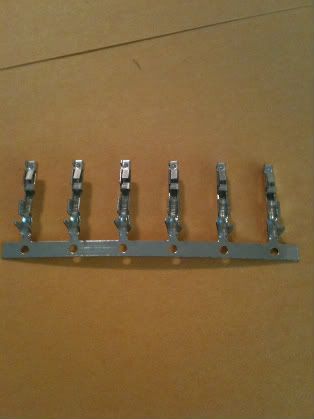
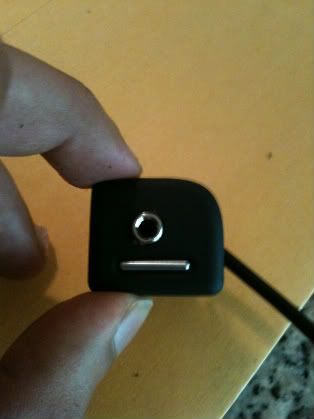
Step 2: Buy a 3.5mm Stereo socket from Radio Shack.
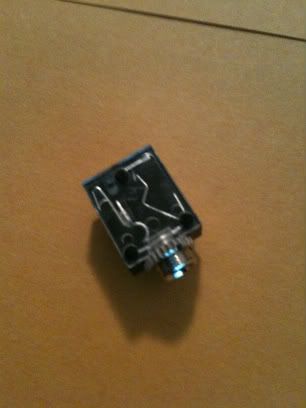
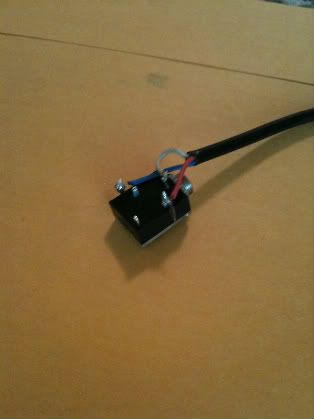
Step 3: Solder one end of any stereo cable, to the terminals of the 3mm socket, and the other end, to one Audi Repair wire.
Step 4: Pull out the blank empty cover from your radio
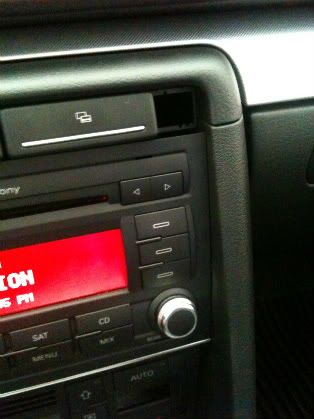
Step 5: Drill a hole such that you can pass the 3.5mm socket through it.
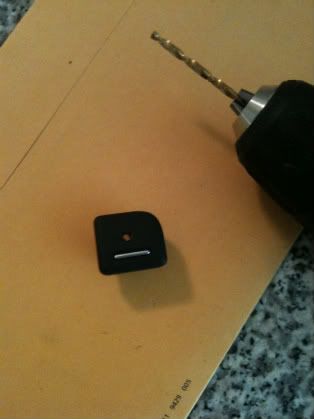
Step 6: Thread the wires through that hole, and push the cover back in.
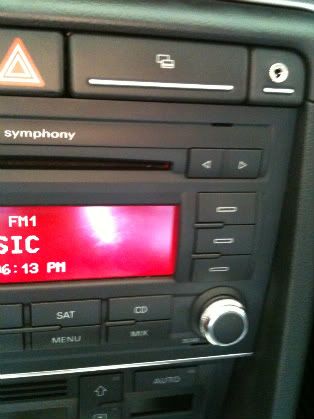
Step 7: Now using your Radio Removal Tools, pull out the Radio. At the back of the radio, locate and unplug the following cable:
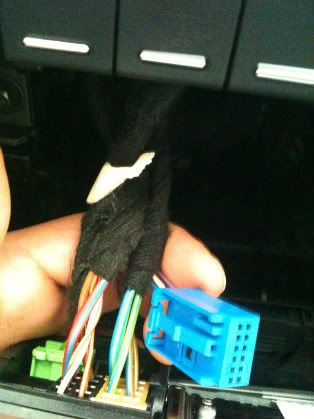
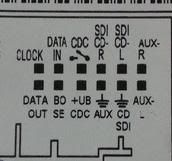
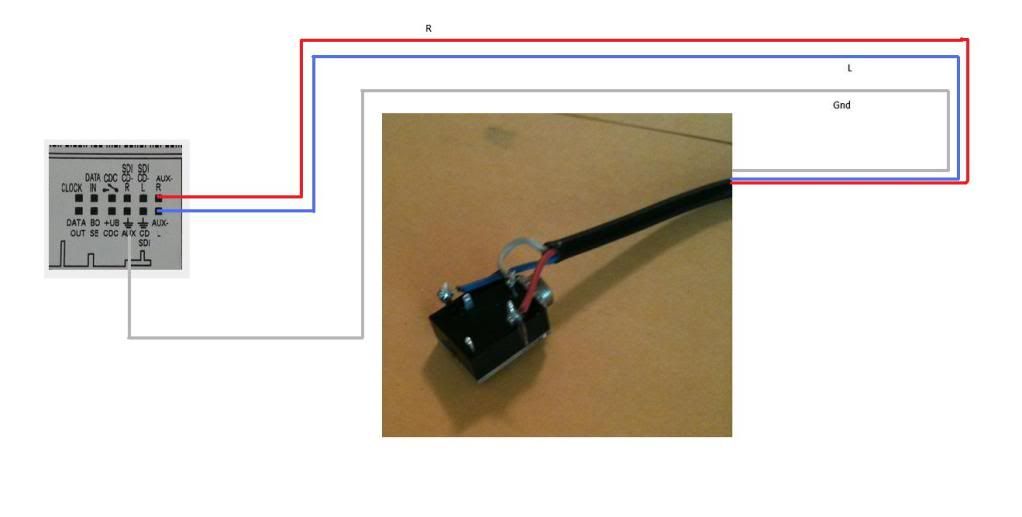
Step 8: Now here is the back of the connector, where those ISO connectors will be pushed in. There are several empty ones, refer to the circuit diagram below on which sockets are for Aux.
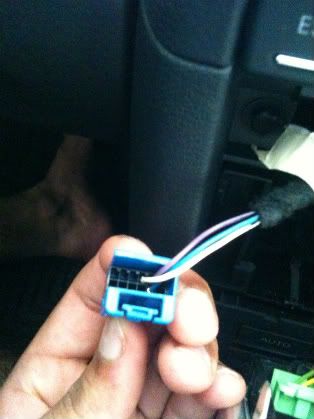
Your 3.5mm stereo pins are: Tip : Left, Ring: Right, Sleeve: GND
Step 9: using the above circuit diagram as a guide, push the ISO Connector pins into the blue socket: Pin 1: Left, Pin 3: GND, Pin 4: Right
Step 10: Push the Blue connector back in and then push the radio back in.
I had a super hard time understanding how your wiring went to the Audi switch. Everything else was incredibly clear and I thank you for that. Now, based on the image, I am assuming that the repair sleeves are going to be put into the Aux-L, Aux-R, and AUX. Now from the 3.5 stereo socket, you have red white and blue cables. From the 3.5 stereo socket, the blue wire went to which one (granted I'm correct about the pins) and so on? Again, excellent write up. Def a project to do ASAP.
Thanks.
Yes, the repair sleeves are going to be put into the Aux-L, Aux-R and AuX Gnd.
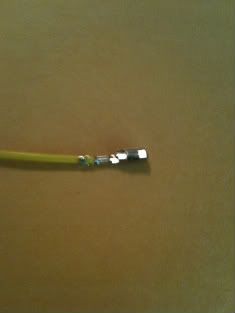
So the yellow wire in image 3, goes into the blue socket, step 8.
You have to trace from that 3.5mm connector, which one is L, R or Gnd and the appropriately push those ISO connectors in.
I have a few connectors, PM me, I can mail at least a few of you with 4 each.
TO DO:
Lower Suspension, RS4 Sway Bar.
Paint Calipers Red, Color-matched Sidemarkers, Faux Carbon-fiber interior trim, Faux Ti Trim (Vinyl), DTM(?) Body Kit
Replace Symphony II+ with RNS-E
will i be able to vag my car for aux input if my car came stock with symph II but i currently have symph II+ installed?
umm...that I don't know. You can try it......when you VAG - COM it will read and display the radio information first, before you change the code.
So in that display if it detects, it as Generation Plus or something on its own (don't remember, but it clearly displays what gen it is), you know that the car knows which radio it is, which means you can do this mod.
Has anyone found a place to buy the ISO Connectors (included in Audi Part Number 000-979-009: Wire Repair Set)? I have been unable to find a place that sells them online. I appreciate any help.
Yep, I just used his steps and I have referred to daveman in the beginning.
I saw some people were confused and this will help them. $25 instead of those other $100+ solutions is totally worth it.
Yeah, but your 25 dollar solution is missing somethings, like ESD and EMI protection. When plugging in your music device, there could be spikes that can potentially damage your headunit. The 100 dollar solutions are designed in for this. And having to not VAG the headunit to enable the aux makes it a turnkey solution.
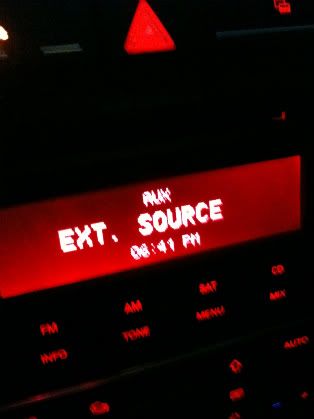
I followed this tutorial to the letter, yet for some reason no audio comes through the speakers when I plug my iphone into the radio. I vag'd the car and it says ext source, I have already soldered the wires twice in case I had a bad connection or had done it wrong. I have included pictures in the hopes that someone can spot my mistake.
I have tried using different devices, nothing seems to work. I tested my harness and sound goes through it....for some reason the radio is just not registering the sound...
For the sake of not starting another thread on this. I'll be doing this mod next week and went to the stelaership to get the audi repair wire set, but jesus, almost 10 bucks for a piece of wire and 2 iso connectors!!!!! That's pretty steep. I googled the connector and found this:
The ISO connectors that the 000979009E (VW/Audi Repair Wire) use = 963715-1 (TE Electronics) which can be bought for about 0.14 each from www.onlinecomponents.com.
Bear in mind there is a minimum, but still better than almost 10 bucks for 2 connectors and a piece of wire at the stealership.
I have tried using different devices, nothing seems to work. I tested my harness and sound goes through it....for some reason the radio is just not registering the sound...
I think I know what's wrong with your install!
You need to take the connectors apart like these and insert them all the way down. Clip them back together again.
Anyhow... all thanks to djpaw!!!!
2005.5 Black B7 S4 - 6MT - Mods: me! 2008 Black B7 A4 Avant Tip
i've had the wires soldered for months, i hooked it up and it didn't work. i said the heck with it. then i reread this and boom it works. thank you! i knew the wires weren't seating well hah
Bookmarks